
General Information
00117 Key Copy
Purpose
This document provides instructions for adding a new smart key card when one card is lost.
Required Materials
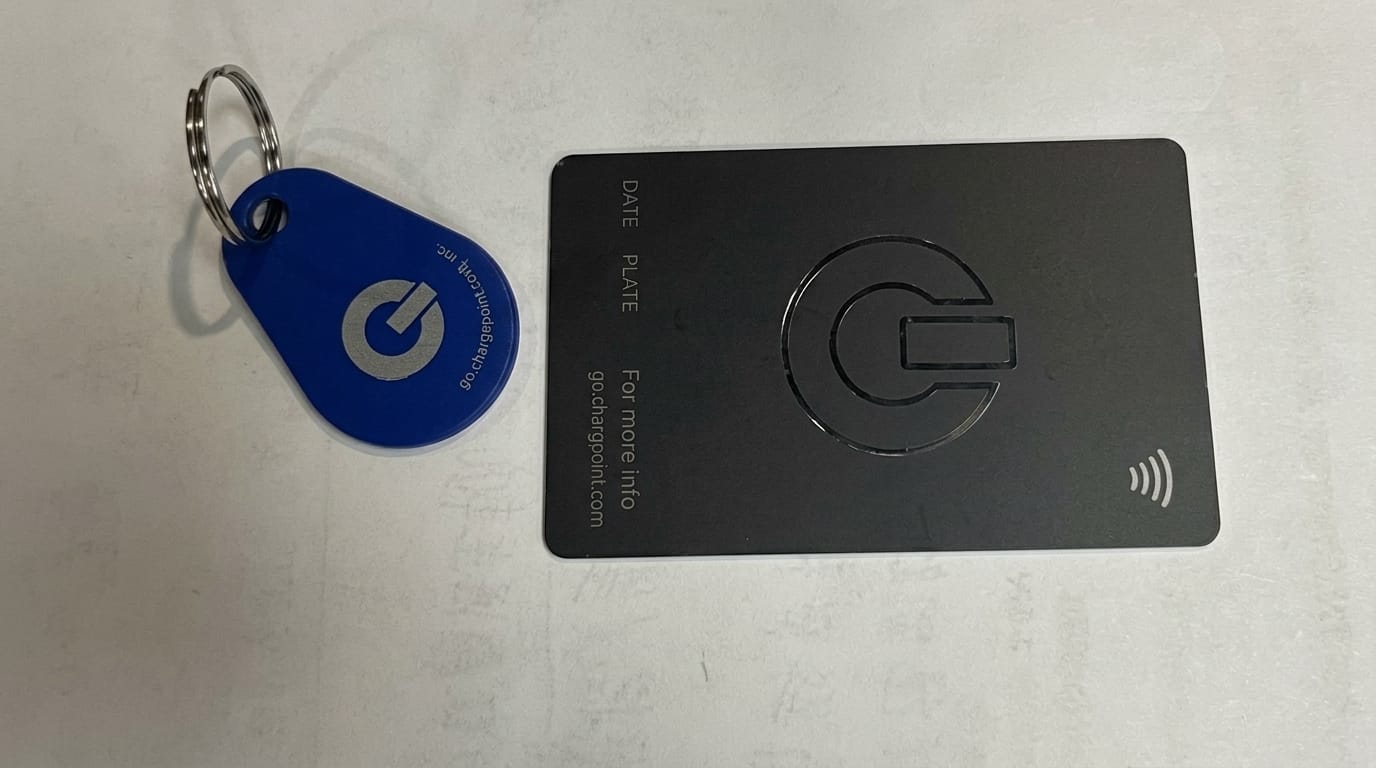
- Existing smart key card (black)
- New smart key card (black)
- Engineering key fob (blue)
Procedure
- Vehicle Startup
- Access Engineering Mode
- Card Addition Process
- Completion
Vehicle Startup
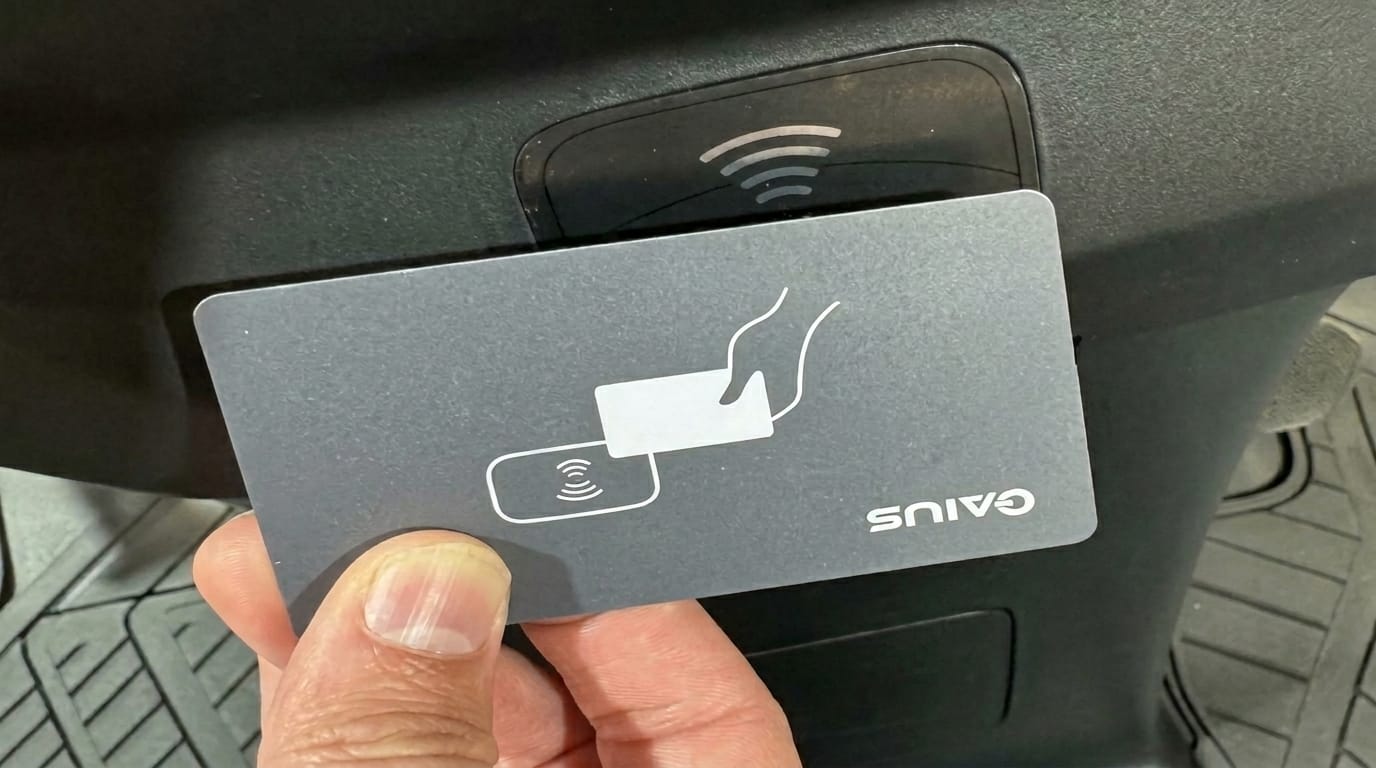
Use the remaining smart key card to start the vehicle
- Place the card near the NFC receiver
- Verify that dashboard indicators light up properly
Access Engineering Mode
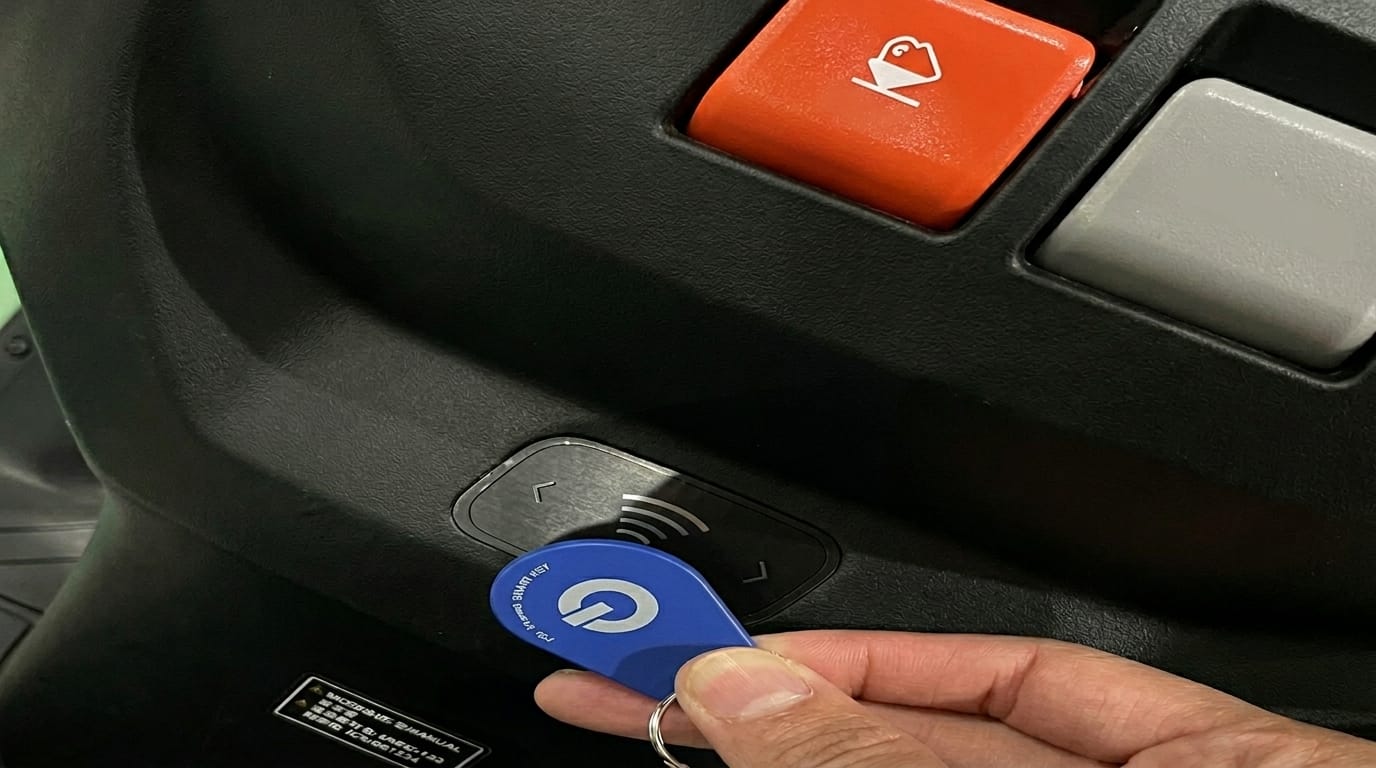
- Hold the engineering card close to the NFC receiver
- Confirm that the dashboard displays “Engineering Mode”
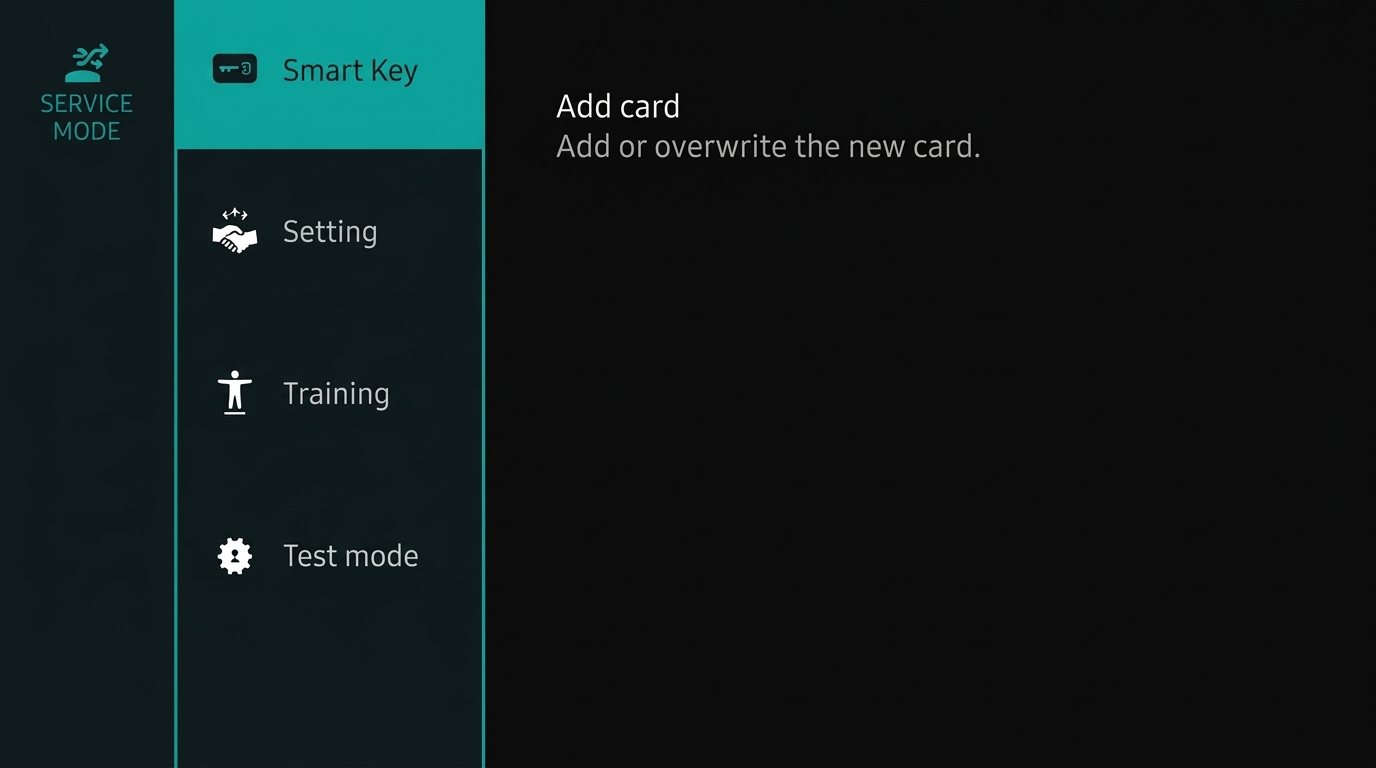
Before proceeding, have your new smart key card ready
How to add a card
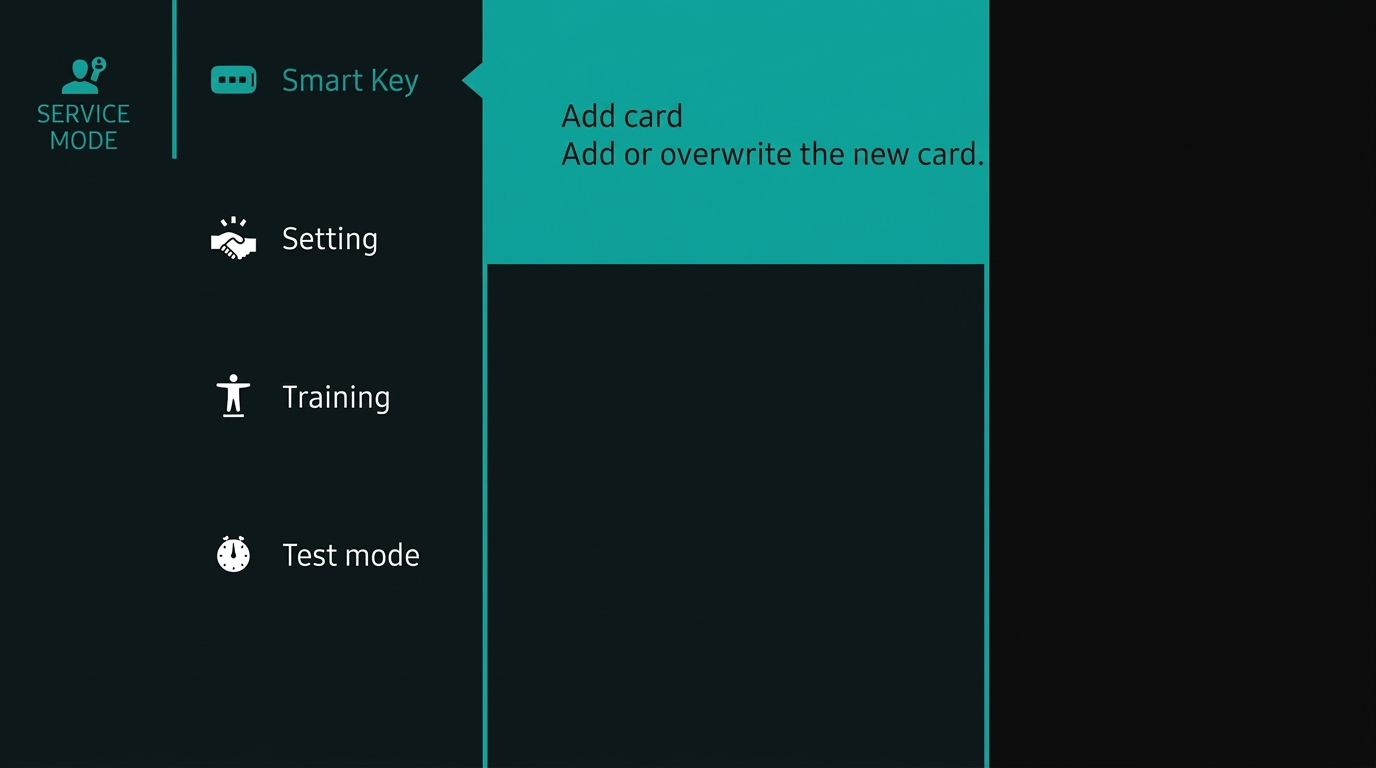
In Engineering Mode:
- Use the OK button on the left handlebar to select “Add Card“
- When prompted, tap the new card against the NFC receiver within 5 seconds
- Follow the on-screen instructions to complete the pairing process

1.First card
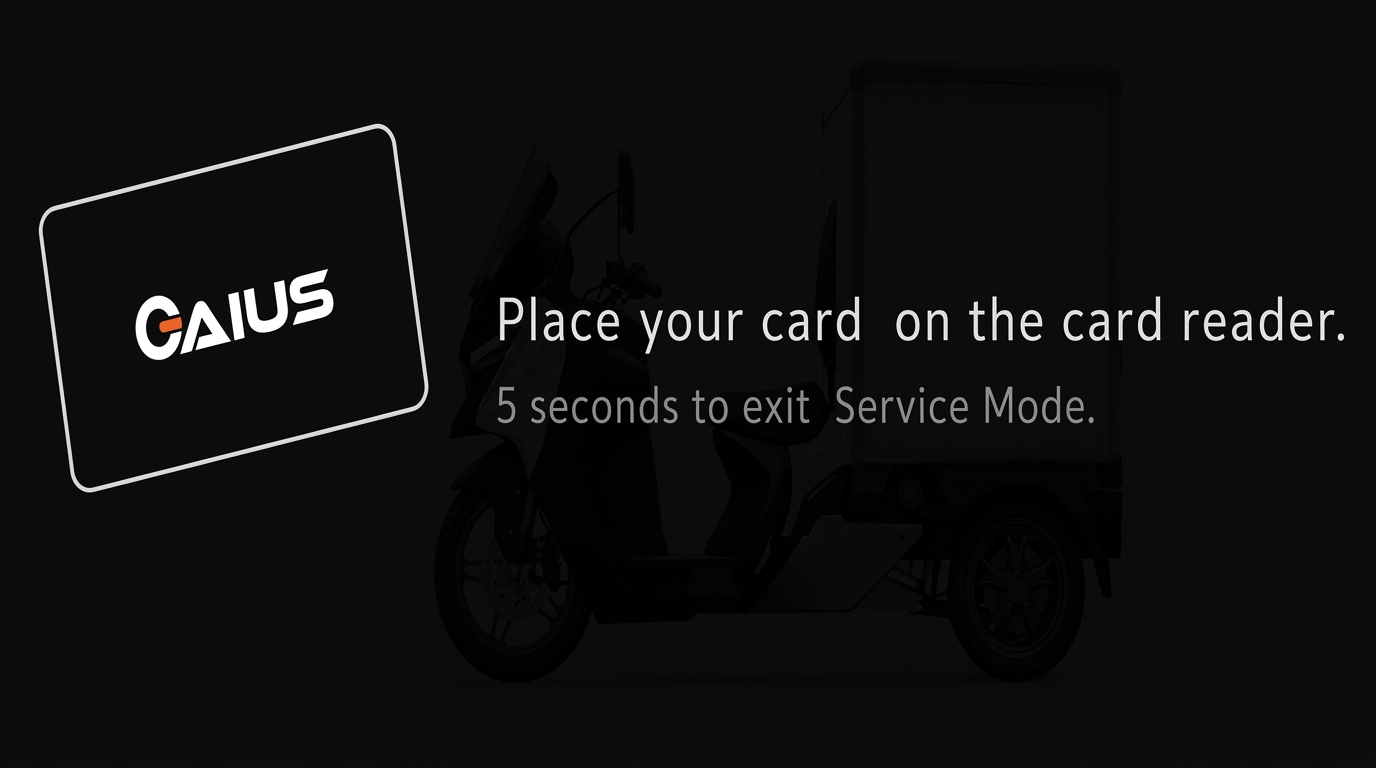
2.Second card
Completion
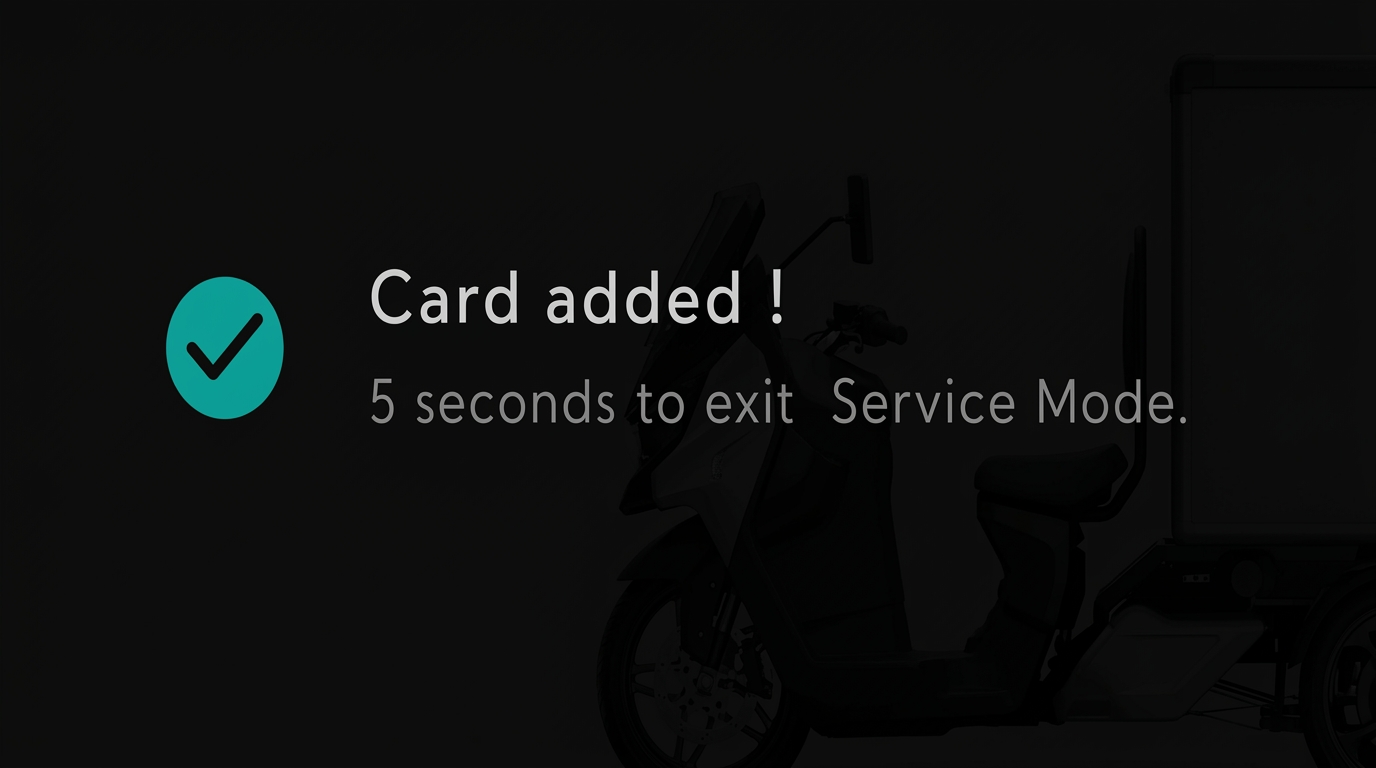
- The dashboard will display a countdown timer
- Wait for the countdown to finish
- The system will automatically return to the normal operating screen